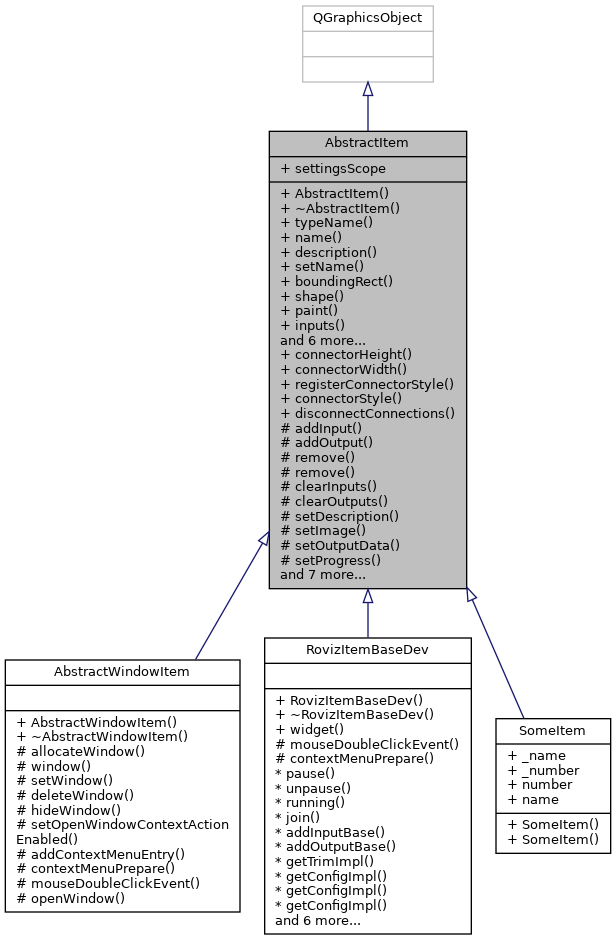
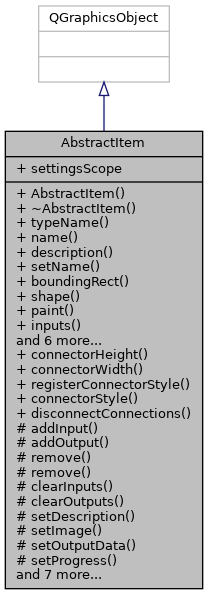
The AbstractItem class is the base class for all items. More...
#include <abstract_item.h>
Public Slots | |
| void | disconnectConnections () |
| Disconnects all connections from/to the item. | |
Signals | |
| void | changed () |
| This signal should be emitted by the derived class whenever the items state has changed and needs to be saved again. | |
| void | nameChanged () |
| This signal is emitted whenever the name has changed. | |
| void | descriptionChanged () |
| This signal is emitted whenever the description has changed. | |
| void | progressChanged () |
| This signal is emitted whenever the progress has changed. | |
Public Member Functions | |
| AbstractItem (QString typeName) | |
| Constructs an AbstractItem with the name typeName. More... | |
| QString | typeName () const |
| QString | name () const |
| QString | description () const |
| void | setName (QString name) |
| Set this items name. More... | |
| QRectF | boundingRect () const override |
| Returns the bounding box of the item. More... | |
| QPainterPath | shape () const override |
| Returns the graphical shape of the item's image. More... | |
| void | paint (QPainter *painter, const QStyleOptionGraphicsItem *option, QWidget *widget=0) override |
| Paints the contents of the item. More... | |
| QList< ItemInput * > const | inputs () const |
| QList< ItemOutput * > const | outputs () const |
| QImage const | image () const |
| int | progress () const |
| virtual bool | load (class QDomElement &element) |
| Loads persistent settings for this item from given XML element. More... | |
| virtual bool | save (class QDomDocument &document, class QDomElement &element) const |
| Saves persistent settings for this item into the given XML element. More... | |
| SettingsScope * | settingsScope () const |
| Returns a pointer to the settings scope associated with this item. More... | |
Static Public Member Functions | |
| static int | connectorHeight () |
| static int | connectorWidth () |
| static bool | registerConnectorStyle (QColor const &color, int transportType) |
| Register a connector style for a transport type. More... | |
| static QPen | connectorStyle (int transportType) |
Protected Member Functions | |
| ItemInput * | addInput (int transportType, QString const &description="") |
| Adds an input to this item. More... | |
| ItemOutput * | addOutput (int transportType, QString const &description="") |
| Adds an output to this item. More... | |
| void | remove (ItemInput *input) |
| Removes an input from this item. More... | |
| void | remove (ItemOutput *output) |
| Removes an output from this item. More... | |
| void | clearInputs () |
| Remove all the inputs from this item. More... | |
| void | clearOutputs () |
| Remove all the outputs from this item. More... | |
| void | setDescription (QString const &description) |
| Set the description of the item. More... | |
| void | setImage (QImage const &image) |
| Set the image displayed in the item. More... | |
| void | setOutputData (ItemOutput *output, QObject *data) |
| Set the data of a given output. More... | |
| void | setProgress (int progress) |
| Set the current progress of the item. More... | |
| void | setProgressAutohide (int ms) |
| Sets the progress to -1 after a certain amount of time. More... | |
| virtual void | contextMenuPrepare (QMenu &menu) const |
| This method is called with an empty QMenu whenever a contextmenu on the current item is requested. Add Actions to Display them in the Menu. More... | |
| virtual void | mouseDoubleClickEvent (QGraphicsSceneMouseEvent *event) override |
| A simple default implementation of the mouseDoubleClickEvent. Override to do custom things (e.g. open window) More... | |
| virtual void | paintItemBox (QPainter *painter) |
| This Method paints the Item Rectangle, the Icon and the progress bar of the item. Override for custom behavior. More... | |
| void | timerEvent (QTimerEvent *t) override |
| QVariant | itemChange (GraphicsItemChange change, const QVariant &value) override |
| void | contextMenuEvent (QGraphicsSceneContextMenuEvent *event) override |
Properties | |
| SettingsScope | settingsScope |
Friends | |
| class | Item_Origin_Visualizer_Entry |
Detailed Description
The AbstractItem class is the base class for all items.
Inputs and Outputs
An item may have any number of inputs and any number of outputs.
Progress
An item may have a progress state between 0 and 100 percent.
- See also
- progress
- setProgress
- setProgressAutohide
Automatic property serialization
The AbstractItem class provides default implementations of the functions save and load that are able to serialize and deserialize Qt property members of the derived class. In order for a property to be serialized and deserialized automatically, it has to be a USER property. Custom types must be made available to the Qt meta type system using Q_DECLARE_METATYPE in order to be serialized and deserialized. Types with a registered string converter can be serialized trivially to an ASCII string. Custom types with no registered string converter are converted to a base64 representation.
Transport Types
Various types of data can be transported between items using inputs and outputs. Every input and output has a transport type which represents the type of data they support. The transport type is defined as the Qt meta type ID of the type to be transported. It can be queried for any type using the qMetaTypeId<T>() template function.
Styles
Every transport type has a style associated with it. Currently, a style is defined simply as a color.
- See also
- connectorStyle
- registerConnectorStyle
Constructor & Destructor Documentation
◆ AbstractItem()
|
explicit |
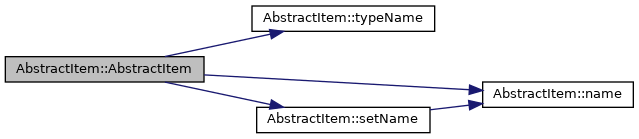
Constructs an AbstractItem with the name typeName.
- Parameters
-
typeName The type name of your item
Member Function Documentation
◆ addInput()
|
protected |
Adds an input to this item.
- Parameters
-
transportType The transport type of the input description An optional text description of the input
- Returns
- A pointer to the newly added input
- See also
- inputs
- clearInputs


◆ addOutput()
|
protected |
Adds an output to this item.
- Parameters
-
transportType The transport type of the output description An optional text description of the output
- Returns
- A pointer to the newly added output
- See also
- outputs
- remove
- clearOutputs


◆ boundingRect()
|
override |
Returns the bounding box of the item.
- Returns
- The bounding box of the item.
◆ clearInputs()
|
protected |


◆ clearOutputs()
|
protected |


◆ connectorHeight()
|
static |
- Returns
- The height of the item input and output connector port
- See also
- connectorWidth

◆ connectorStyle()
|
static |
- Parameters
-
transportType The transport type whose style is requested
- Returns
- The QPen style stored for the transport type transportType
- See also
- registerConnectorStyle


◆ connectorWidth()
|
static |
- Returns
- The width of the item input and output connector port
- See also
- connectorHeight
◆ contextMenuPrepare()
|
protectedvirtual |
This method is called with an empty QMenu whenever a contextmenu on the current item is requested. Add Actions to Display them in the Menu.
- Parameters
-
menu The menu to append your items to.
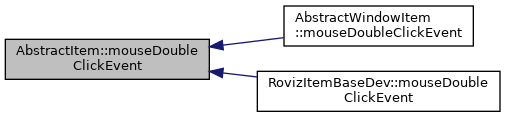
Reimplemented in AbstractWindowItem, and RovizItemBaseDev.

◆ description()
| QString AbstractItem::description | ( | ) | const |
- Returns
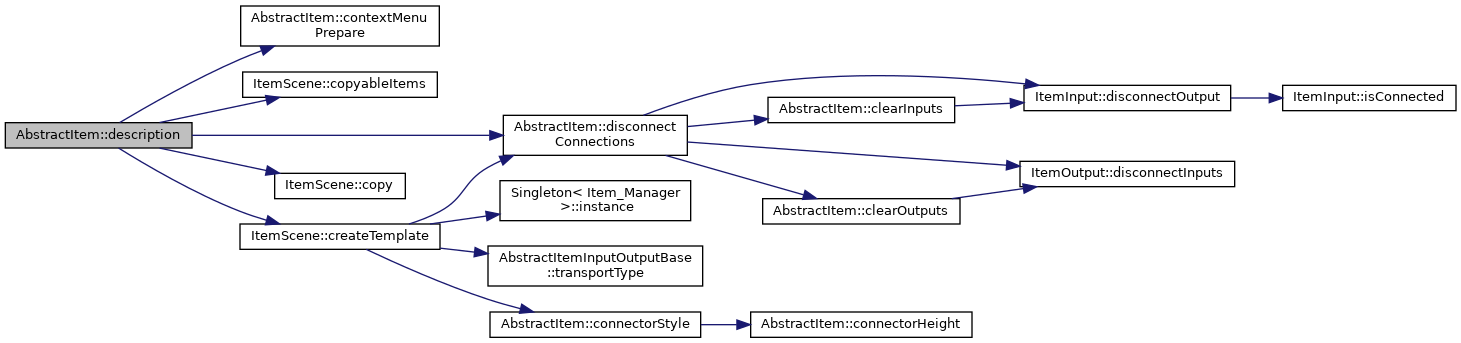
- The item description. It is displayed in the Item_Origin_Visualizer Widgets which are included in some Items. This description should describe the current state of the object (e.g. what the object is doing right now)
- See also
- setDescription

◆ image()
| const QImage AbstractItem::image | ( | ) | const |
- Returns
- Get the Image/Icon to display in the center of the item.
- See also
- setImage
- paintItemBox

◆ inputs()
| const QList< ItemInput * > AbstractItem::inputs | ( | ) | const |
- Returns
- A list of all the inputs of this item.
- See also
- addInput
- clearInputs

◆ load()
|
virtual |
Loads persistent settings for this item from given XML element.
This base implementation will load the item's user properties and settings scope.
Note that derived classes that overwrite this method should call the base implementation in order load the persistent settings of the base class.
Note that it is not considered an error if a property that is defined in the class (and is saved by the default implementation of save()) is not present (and therefore not loaded) in the given XML element.
- Parameters
-
element The QDomElement containing the data to load.
- Returns
trueupon success,falseotherwise.
- See also
- save

◆ mouseDoubleClickEvent()
|
overrideprotectedvirtual |
A simple default implementation of the mouseDoubleClickEvent. Override to do custom things (e.g. open window)
- Parameters
-
event Mouse event context information
Reimplemented in AbstractWindowItem, and RovizItemBaseDev.
◆ name()
| QString AbstractItem::name | ( | ) | const |
- Returns
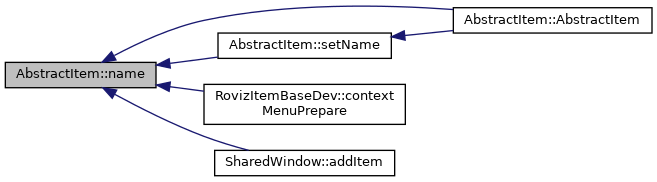
- This name of this item. It is displayed below the item.
- See also
- setName
◆ outputs()
| const QList< ItemOutput * > AbstractItem::outputs | ( | ) | const |
- Returns
- A list of all the outputs of this item.
- See also
- addOutput
- clearOutputs
◆ paint()
|
override |
Paints the contents of the item.
- Parameters
-
painter The QPainter to be used. option Style options for the item. widget Optional, points to the widget that is being painted on.

◆ paintItemBox()
|
protectedvirtual |
This Method paints the Item Rectangle, the Icon and the progress bar of the item. Override for custom behavior.
- Parameters
-
painter The painter to use

◆ progress()
| int AbstractItem::progress | ( | ) | const |
- Returns
- The current progress in percent from 0-100, or -1 if no progress is displayed.
- See also
- setProgress
- paintItemBox
◆ registerConnectorStyle()
|
static |
Register a connector style for a transport type.
- Parameters
-
pen The pen style to store transportType The transport type to store the pen for
- Returns
- true if a previously stored style was overwritten, false otherwise
- See also
- connectorStyle

◆ remove() [1/2]
|
protected |
Removes an input from this item.
- Parameters
-
input a pointer to the input that should be removed
- See also
- inputs
- clearInputs
- addInput

◆ remove() [2/2]
|
protected |
Removes an output from this item.
- Parameters
-
output a pointer to the output that should be removed
- See also
- outputs
- clearOutputs
- addOutput

◆ save()
|
virtual |
Saves persistent settings for this item into the given XML element.
This base implementation will save the item's user properties and settings scope.
Note that derived classes that overwrite this method should call the base implementation in order save the persistent settings of the base class.
- Parameters
-
document The QDomDocument that contains the element. element The QDomElement to save the data to.
- Returns
trueupon success,falseotherwise.
- See also
- load

◆ setDescription()
|
protected |
Set the description of the item.
- Parameters
-
description The description to set
- See also
- description

◆ setImage()
|
protected |
Set the image displayed in the item.
- Parameters
-
image The image to set
- See also
- image

◆ setName()
| void AbstractItem::setName | ( | QString | name | ) |
Set this items name.
- Parameters
-
name the name to set to
- See also
- name


◆ setOutputData()
|
protected |
Set the data of a given output.
- Parameters
-
output The output whose data to set data The data to set the output to


◆ setProgress()
|
protected |
Set the current progress of the item.
- Parameters
-
progress The progress in percent from 0-100 or -1 if no progress should be displayed
- See also
- progress
- paintItemBox

◆ setProgressAutohide()
|
protected |
Sets the progress to -1 after a certain amount of time.
- Parameters
-
ms the number of miliseconds to wait, before setting the progress to -1. Pass a number <= 0 to stop the timer.
- See also
- setProgress
- progress

◆ settingsScope()
| SettingsScope* AbstractItem::settingsScope | ( | ) | const |
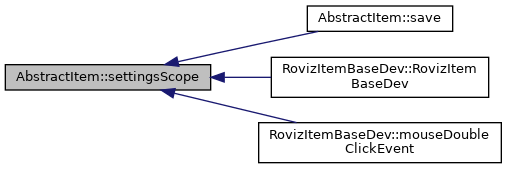
Returns a pointer to the settings scope associated with this item.
- Returns
- A pointer to the settings scope associated with this item.
◆ shape()
|
override |
Returns the graphical shape of the item's image.
- Returns
- The graphical shape of the item's image.


◆ typeName()
| QString AbstractItem::typeName | ( | ) | const |
- Returns
- The type name of this item. It is displayed above the item in bold.

The documentation for this class was generated from the following files:
- itemframework/itemframework/include/item/abstract_item.h
- itemframework/itemframework/moc/moc_abstract_item.cpp
- itemframework/itemframework/src/item/abstract_item.cpp